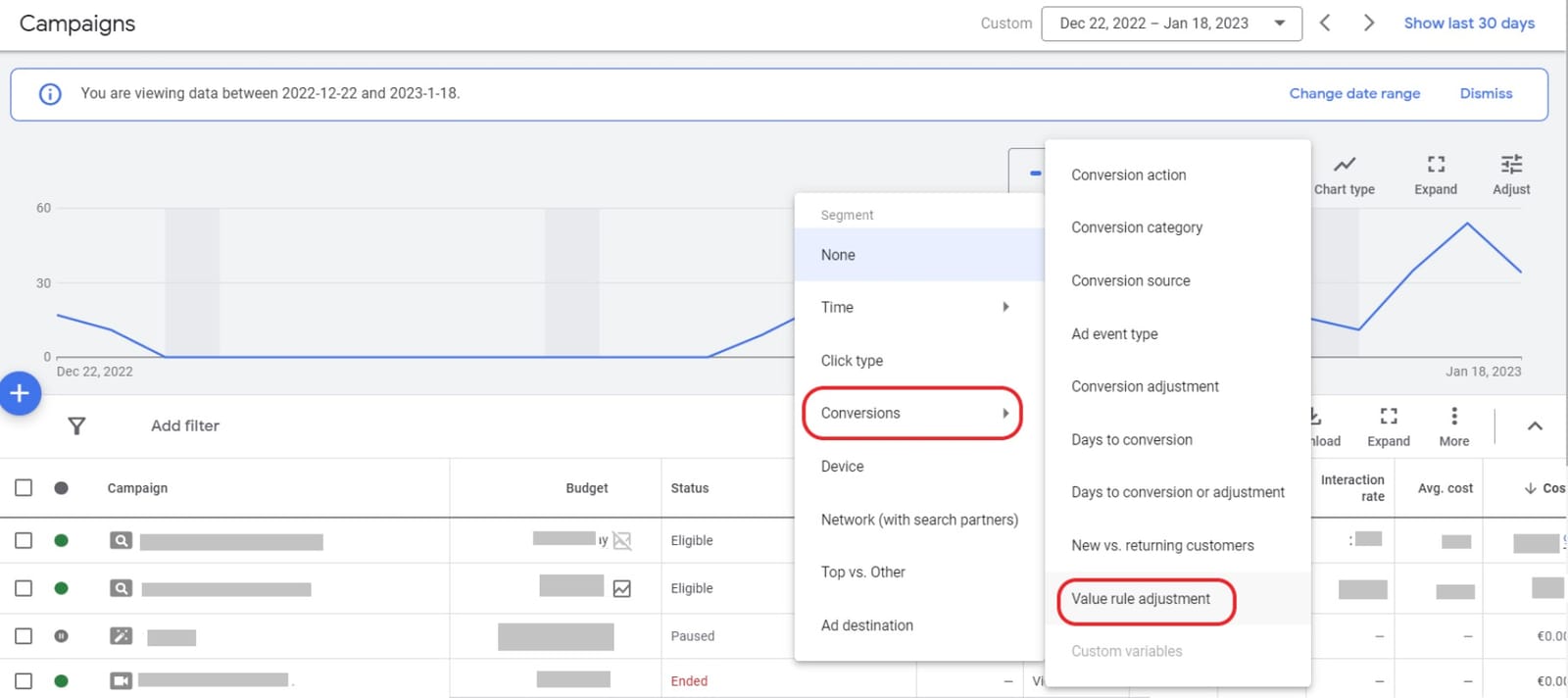
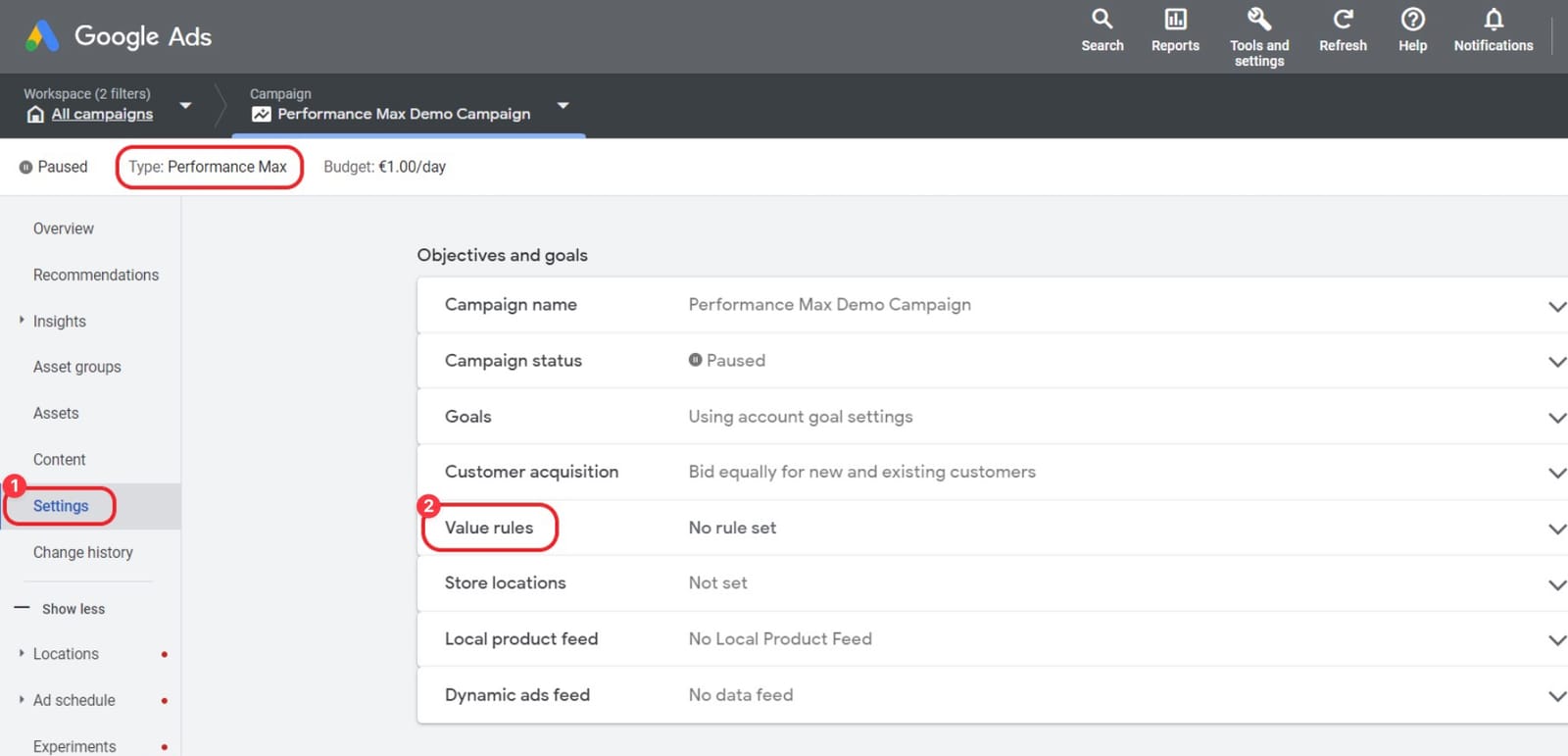
- open the Settings (1).
- Look for Value (2) rules within the section Objective and goals
Follow these steps to use your previously created fraud0 Audience with Performance Max Campaigns.
Learn more:
Follow these steps to use your previously created fraud0 Audience with Performance Max Campaigns.
Login to your Google Ads Account
Navigate to your Performance Max Campaigns
Add your previously created fraud0 Audience
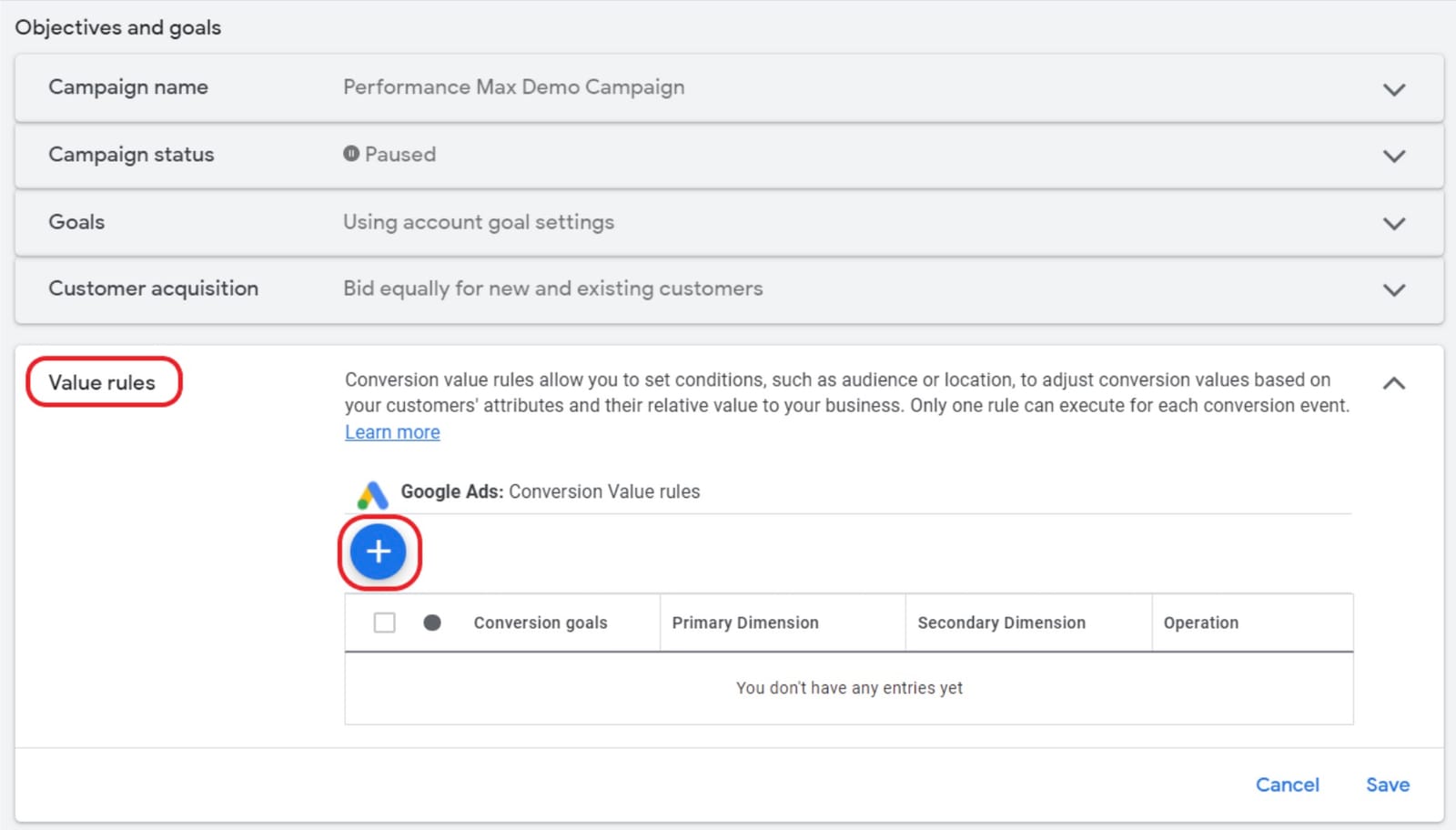
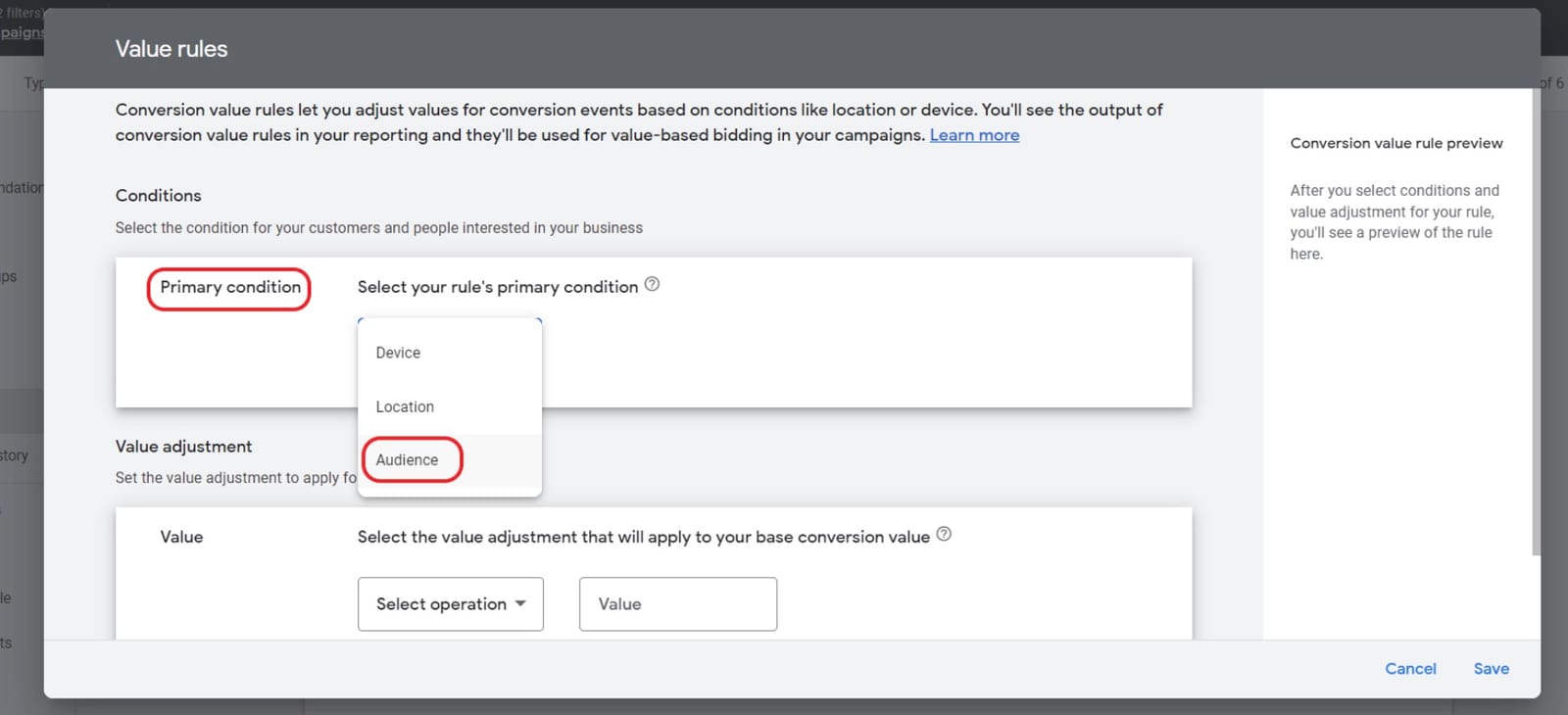
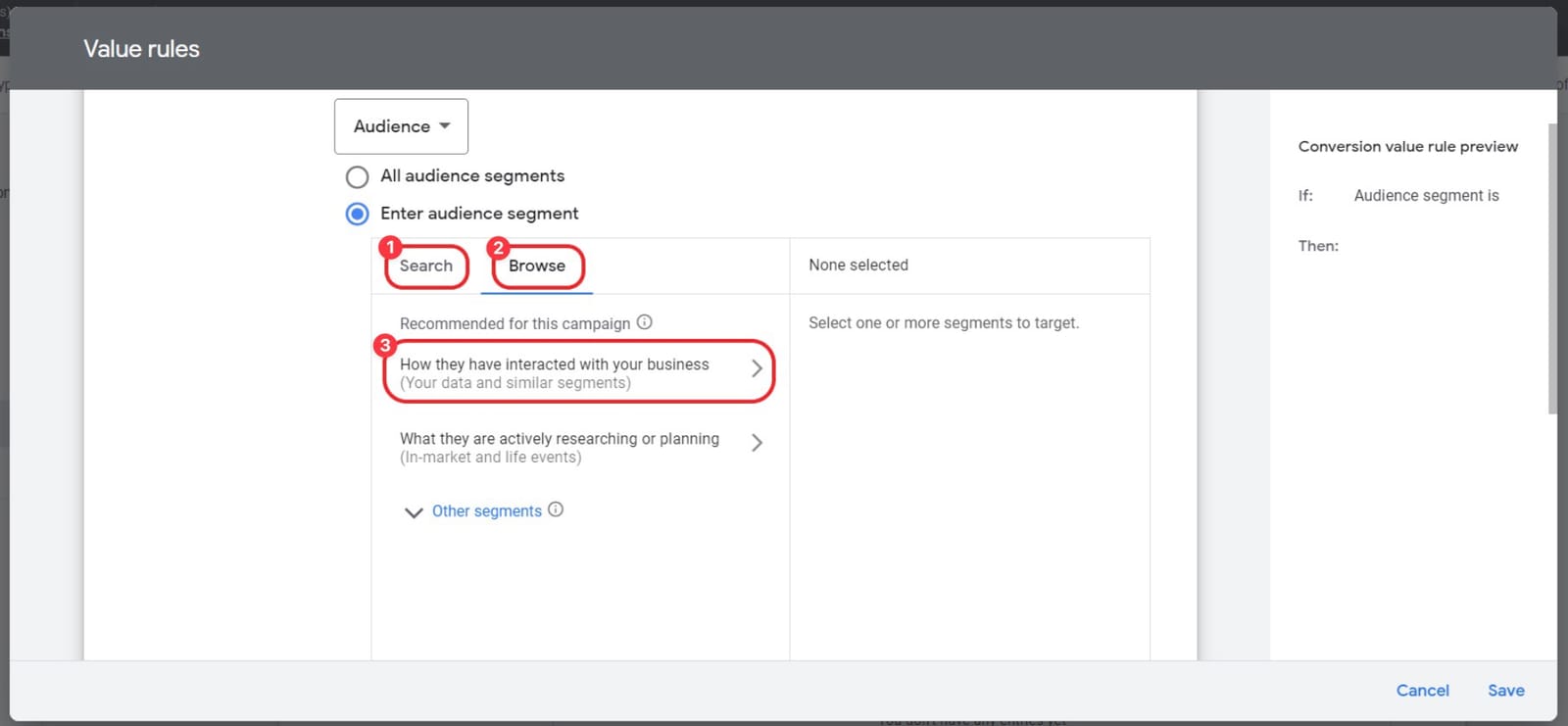
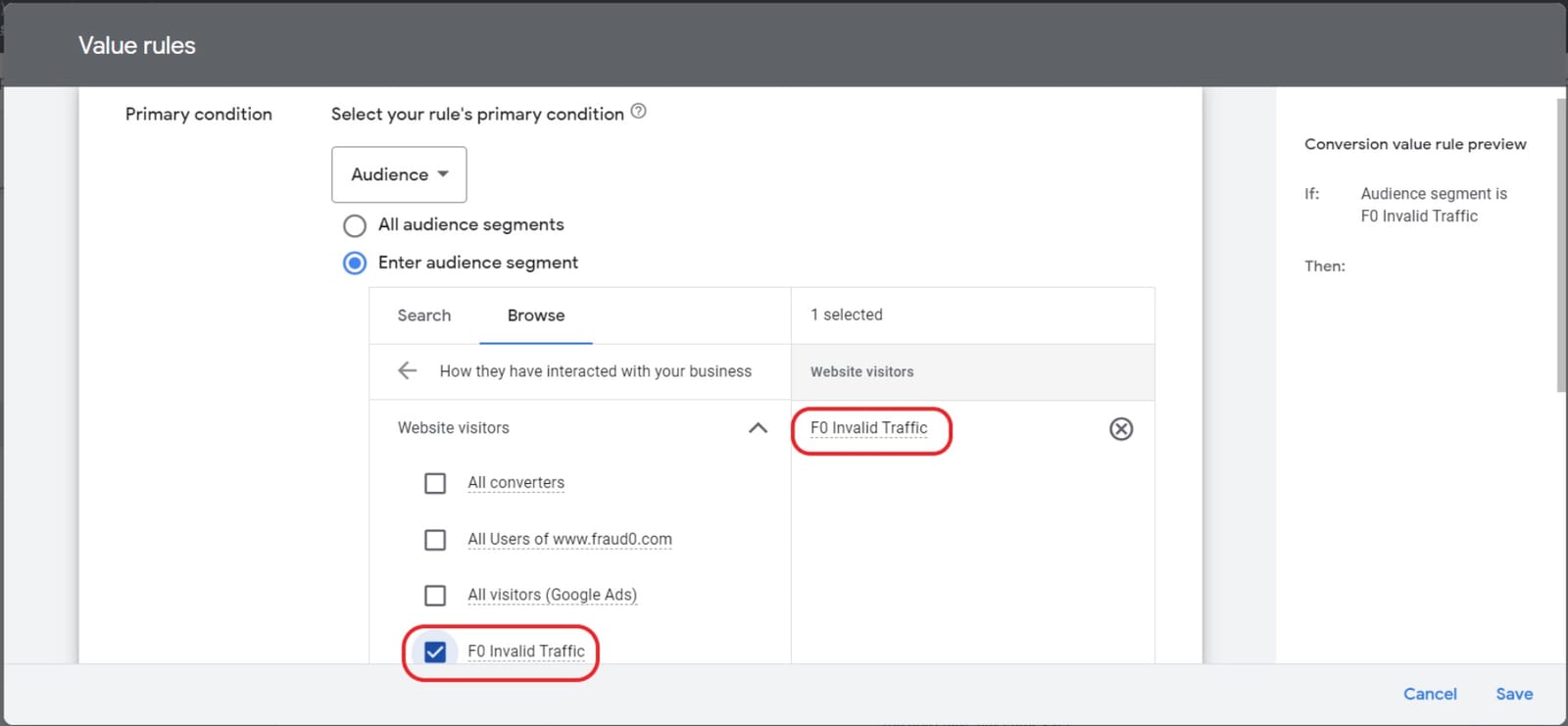
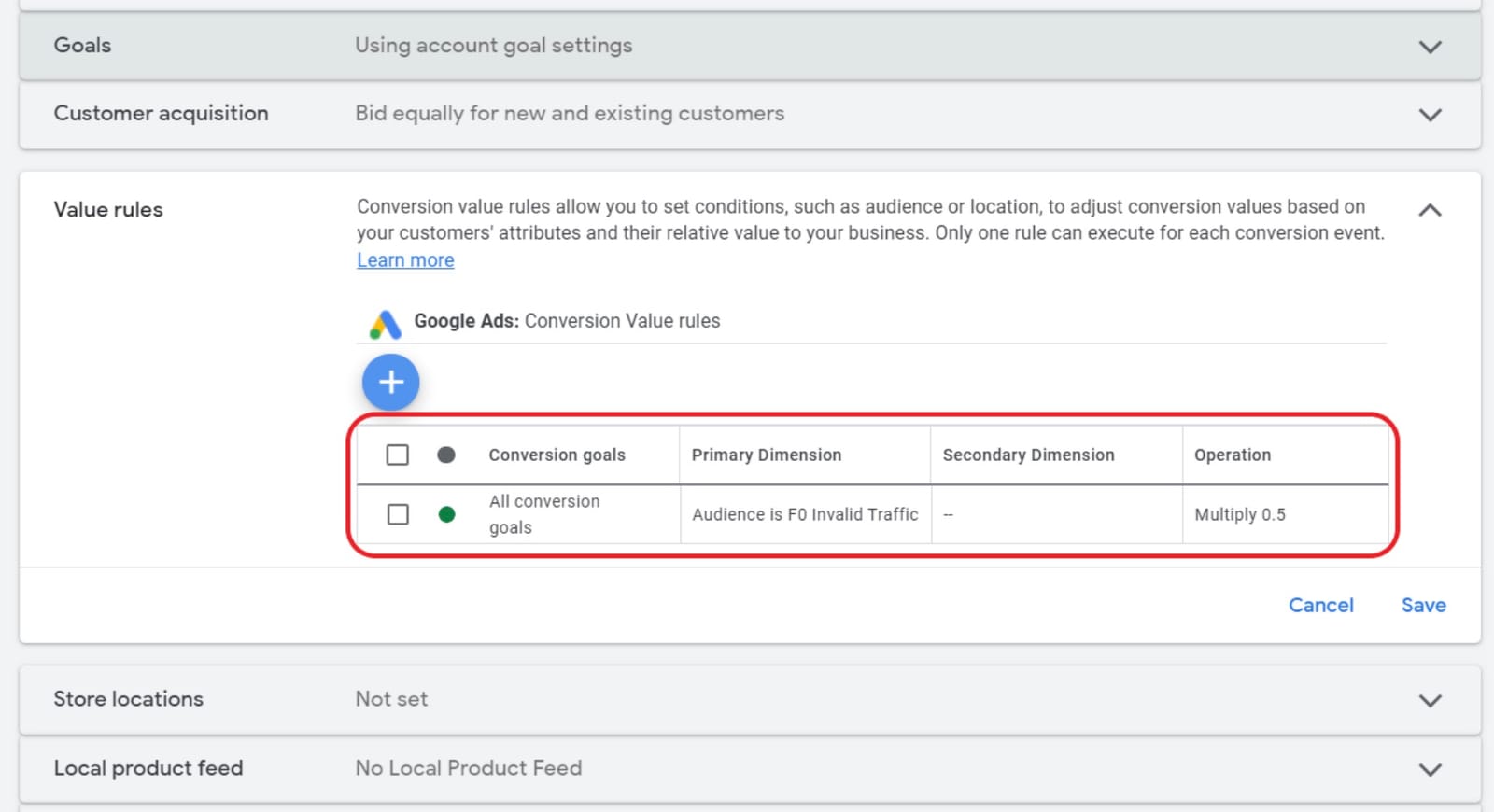
You should now see your configured rules in the overview section
To use your value rules also for bidding and not only for reporting, the bidding type must be “Maximize Value” or “Target ROAS”
Conversion rules can only be applied to
If you are using cross-account conversion tracking, you must set your conversion value rules from the manager-level account.
The multiply values range from 0.5 to 10. So, it is technically not possible to “exclude” audiences completely from delivery. However, the delivery should be lower as only half of the conversion value will be considered