

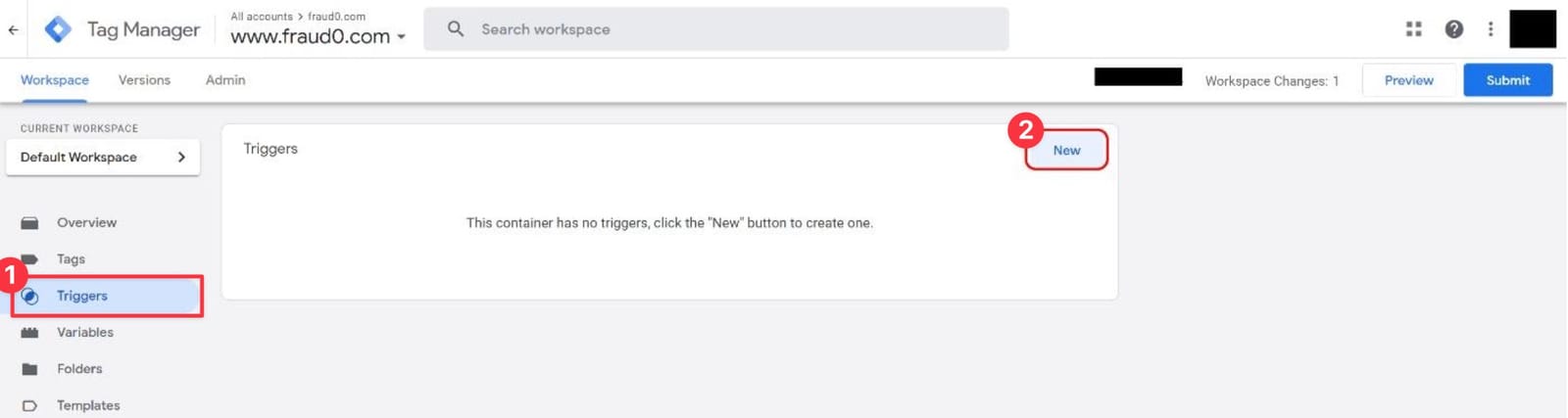
- Go to your Google Tag Manager Workspace
- Navigate to Tags (1) and click New (2) in the top-right corner
Secure your Marketing & IT Budget
Effective budget optimization is essential, and Pixel Protect offers substantial benefits. By configuring pixels—such as retargeting pixels—to activate only when traffic is verified as human, you ensure that your platform’s algorithms optimize more efficiently. This approach allows you to pay exclusively for legitimate interactions, reducing costs associated with invalid traffic.
Additionally, many tools, including personalization solutions, charge based on sessions and require pixel integration on your website. With Pixel Protect, you guarantee that these tools incur costs only for verified human traffic, enhancing data accuracy and reducing expenses related to invalid sessions.
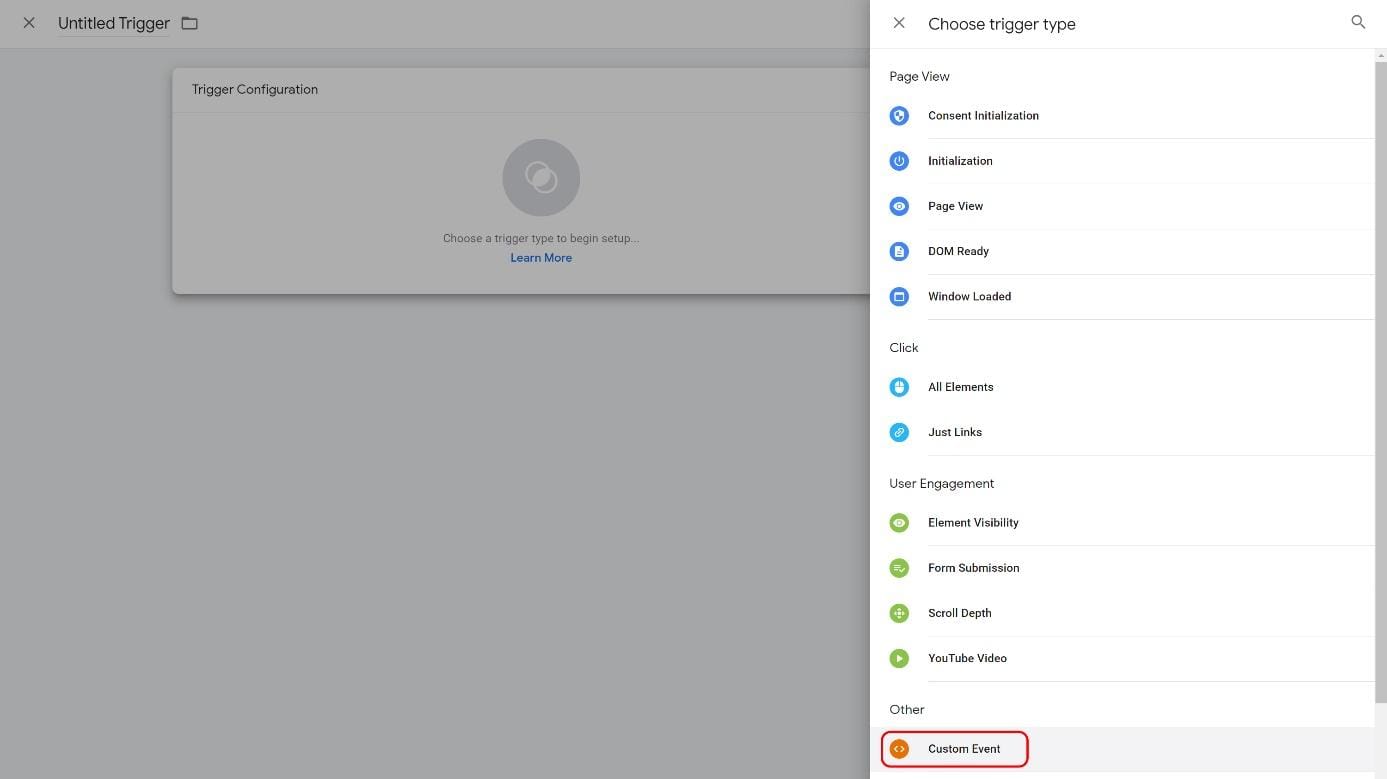
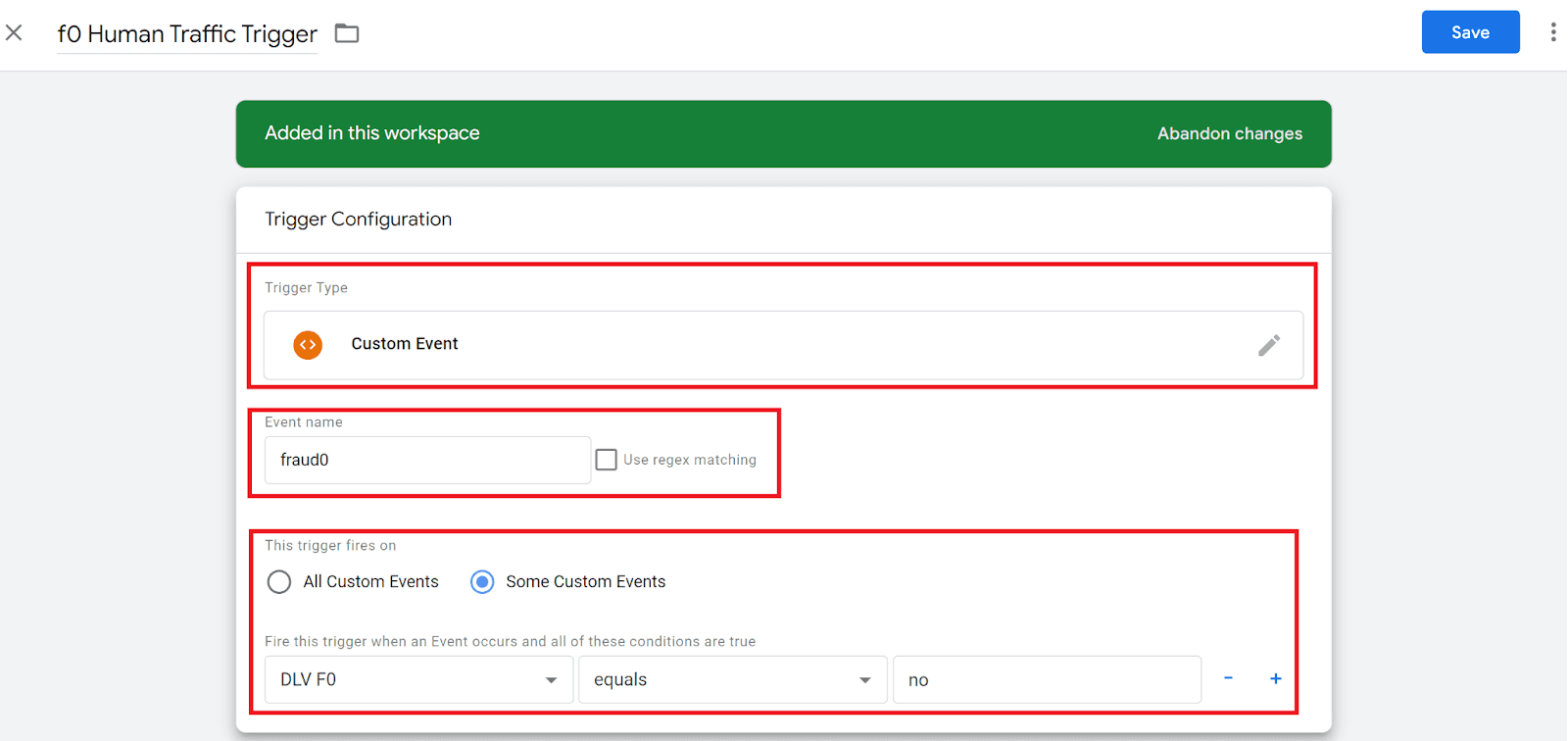
Setup Human Traffic Trigger in GTM
Setup Trigger Group