To view and update your billing details, simply follow these steps:
Login to your fraud0 Dashboard.
Navigate to “Settings” in the left panel and open the “Invoices” tab.
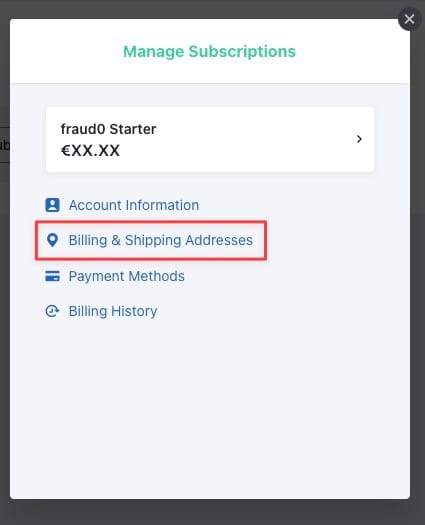
Click “Open Billing Portal”. This opens the secure Chargebee billing portal.
Open “Billing & Shipping Addresses”.
Now you can view and update your billing details.